HyprTile (v0.30)
HyprTile
A visual command center for Hyprland.
Launch apps. Control your desktop. Play media. Take notes. Talk to AI. Share windows. Configure Hyprland.
HyprTile brings all of it together in one fast, visual interface built specifically for Hyprland and Wayland.
No traditional start menu. No desktop-environment-sized control center. Just press a key and your workspace is there.
Open source. Built for Linux. Built for Hyprland.
At this point: Big greetings go out to all the wayland developers, and of course - last but not least, @vaxryy for developing HyprLand! It was about time to cut off old braids. Yes I mean you, X11!
More than an application launcher
HyprTile started with a simple idea:
What if launching applications on Hyprland felt more like opening a control surface than searching through a menu?
The result is a fullscreen tile-based launcher that can be controlled completely with the mouse or keyboard — but HyprTile has grown far beyond launching applications.
It now combines a launcher, visualizer, media center, system HUD, notes application, password vault, AI interface, Bluetooth manager, remote desktop tools and a full Hyprland configuration center.
All inside one consistent interface.
One key. One interface. Your Hyprland desktop.
01 — The Launcher
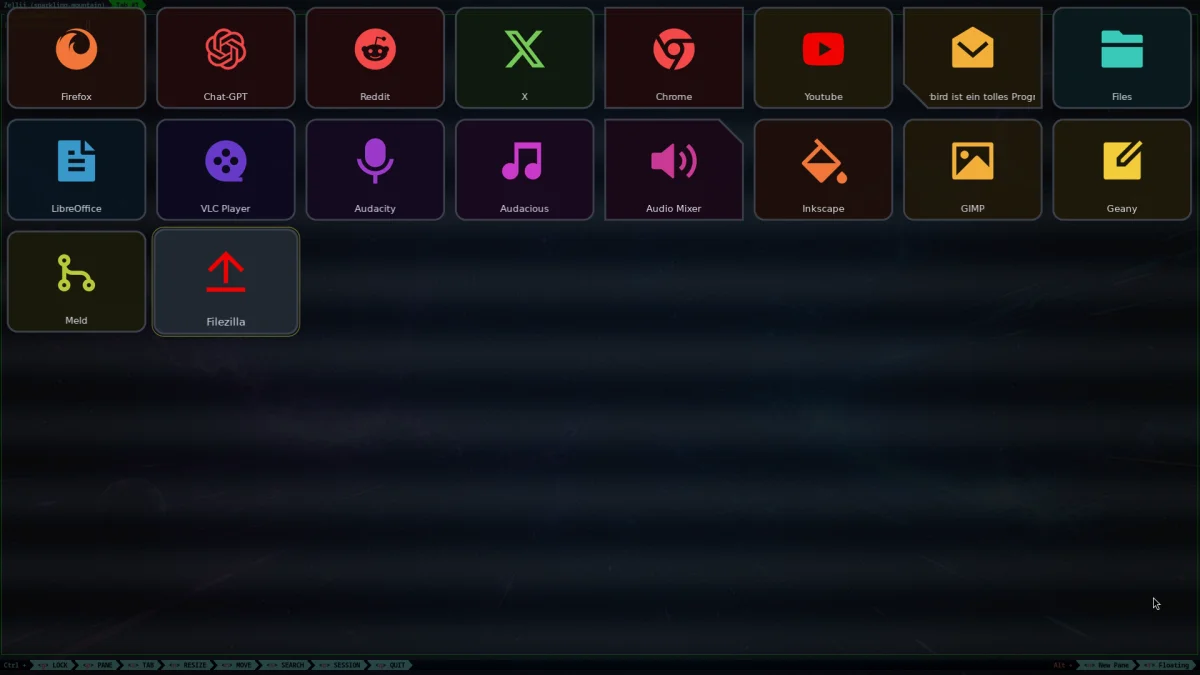
Your applications. Your layout. Instant.
Organize applications, commands, websites and tools exactly the way you want. Instantly ready without waiting. Speed matters.
HyprTile uses configurable tile pages instead of a traditional application list. The default layout provides an 8 × 6 grid, but pages can contain more tiles and automatically become scrollable when needed.
Switch between pages instantly, navigate with the arrow keys, use the mouse, or simply start typing.
Instant search
Just type.
HyprTile immediately filters matching tiles — even across different launcher pages. Use the keyboard to select a result and press Enter to launch it.
And there is a small extra for people who enjoy HyprTile's animated backgrounds:
Enter a single Space and all tiles disappear, leaving only the background visible.
Perfect when music is playing and you just want to watch the visualizer.
02 — Edit the launcher directly
No config file required for everyday changes.
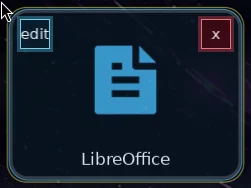
Hold Ctrl and the launcher becomes editable.
Add new tiles, edit existing ones, remove them or drag them into a new position.
The integrated tile editor lets you configure:
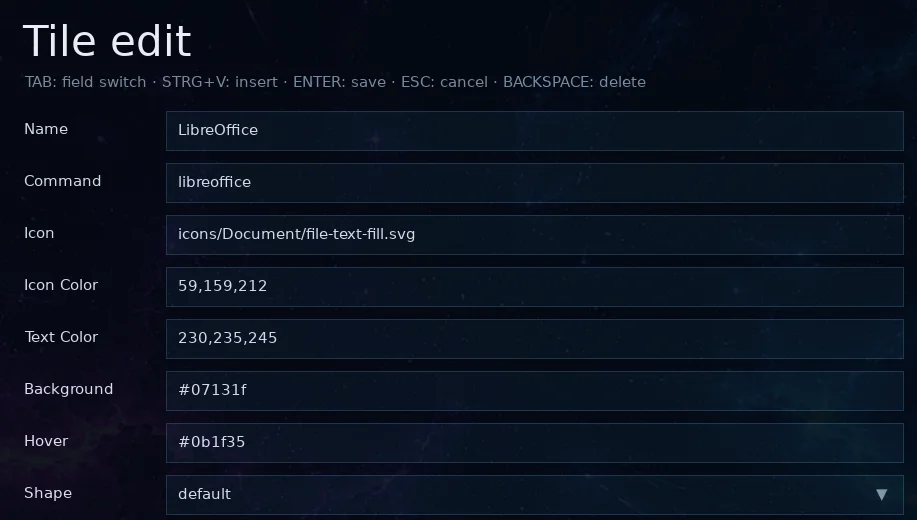
- application name and command
- SVG icon or image
- icon and text colors
- background and hover colors
- tile shape
- image tiles
- borderless tiles
- placeholders for custom layouts
Changes are written back to the HyprTile configuration.
If you want complete control, config.json is still there.
03 — Tiles don't have to look like tiles
Build a launcher that actually looks like yours.
HyprTile supports much more than rounded rectangles.
Tiles can be square, rounded, circular, triangular, borderless or use cut corners in different directions.
Image tiles can turn parts of the launcher into artwork, banners or custom interface elements, while invisible placeholder tiles make it possible to deliberately leave parts of the grid empty.
Mouse hit detection follows the actual visible shape instead of treating every tile as a rectangle.
Combined with custom colors, icons, text and backgrounds, this allows layouts that look completely different from a traditional application launcher.
04 — The desktop can move
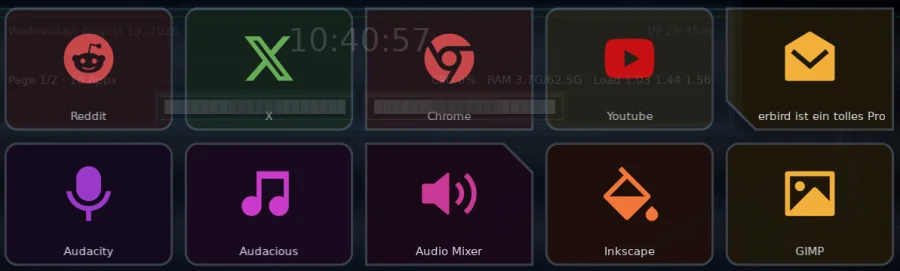
Real-time OpenGL backgrounds.

HyprTile includes its own collection of GPU-rendered background effects.
Some are calm. Some are ridiculous. Some react to your music.
Switch between them instantly with F1.
Available visual styles include equalizers, oscilloscopes, starfields, vaporwave scenes, spectral effects, audio-reactive environments and other experimental OpenGL scenes.
Several visualizers analyze the currently playing desktop audio in real time.
The intensity of the GL layer can be configured independently, allowing anything from a subtle animated backdrop to a full-screen audiovisual experience.
05 — Make it transparent. Or glass. Or retro.
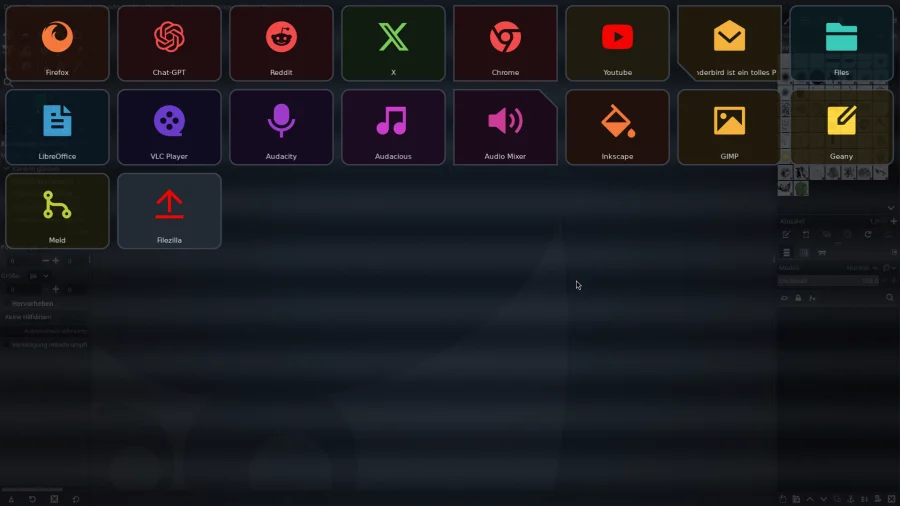
The launcher itself is part of the design.
HyprTile can run with a completely transparent background and integrate with Hyprland blur and transparency rules.
Or give it its own look.
Configure window opacity, tile colors, mouse hover colors, keyboard focus colors, fonts and corner radius.
Optional visual layers add effects such as:
Glass — tint, noise, vignette, glow, corner lighting and blur.
Scanlines — configurable size, strength and tint for CRT-inspired setups.
The goal is simple:
HyprTile should adapt to your desktop — not the other way around.
06 — Wallpaper included
One less daemon if you don't need one.

HyprTile includes its own lightweight Wayland wallpaper service: hyprtile-wallpaperd.
It creates native Wayland background surfaces for connected monitors and supports common image formats such as PNG, JPEG and WebP as well as experimental webgl support for background animations.
Wallpaper scaling can be configured as:
cover · contain · stretch · center
The service is automatically managed by HyprTile when wallpaper support is enabled.
07 — A hidden system HUD

Move to the top edge.
HyprTile includes a system HUD that appears when the pointer reaches the upper edge of the screen.
It provides system information such as CPU usage, memory usage, system load, uptime and battery status.
Volume and display brightness can be adjusted directly from the HUD using the mouse or scroll wheel.
Useful information stays out of the way until you actually need it.
08 — F2: Music Center
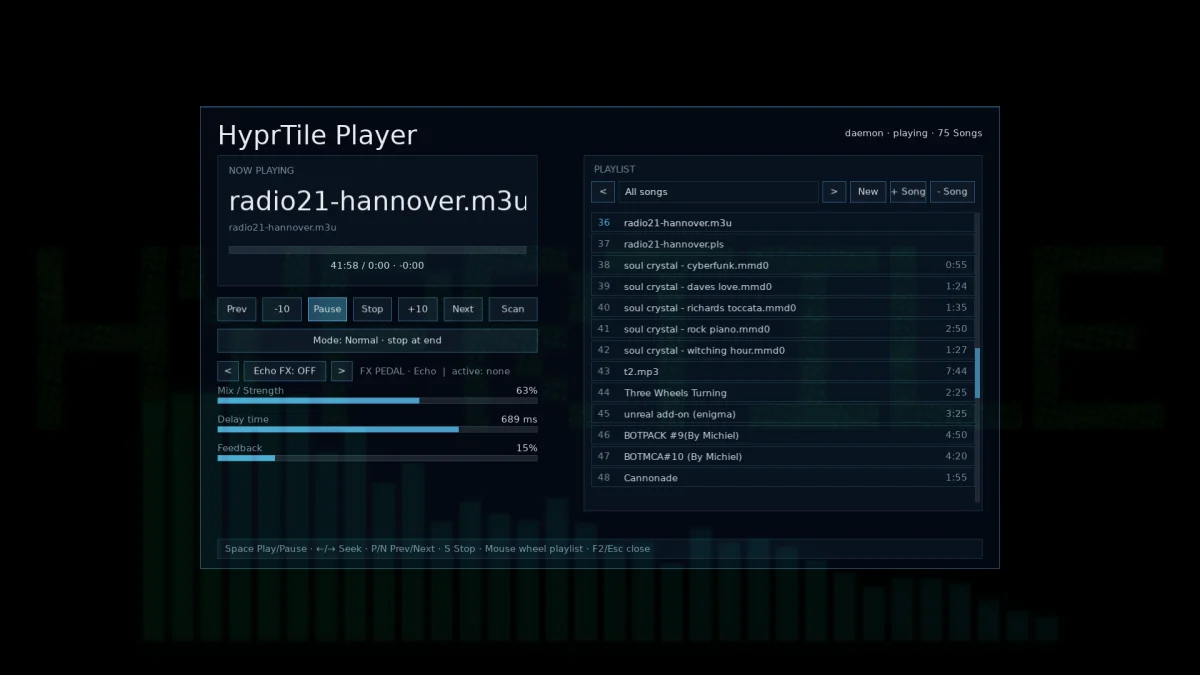
Music without leaving the launcher.
Press F2 to open HyprTile's integrated music interface.
Scan your music collection, browse tracks and control playback directly inside HyprTile.
Play, pause, stop, seek, skip forward or backward and move through your collection while the animated background continues running behind the interface.
Especially nice when combined with one of the audio-reactive OpenGL visualizers.
09 — F3: Video Center
Your local videos inside HyprTile.
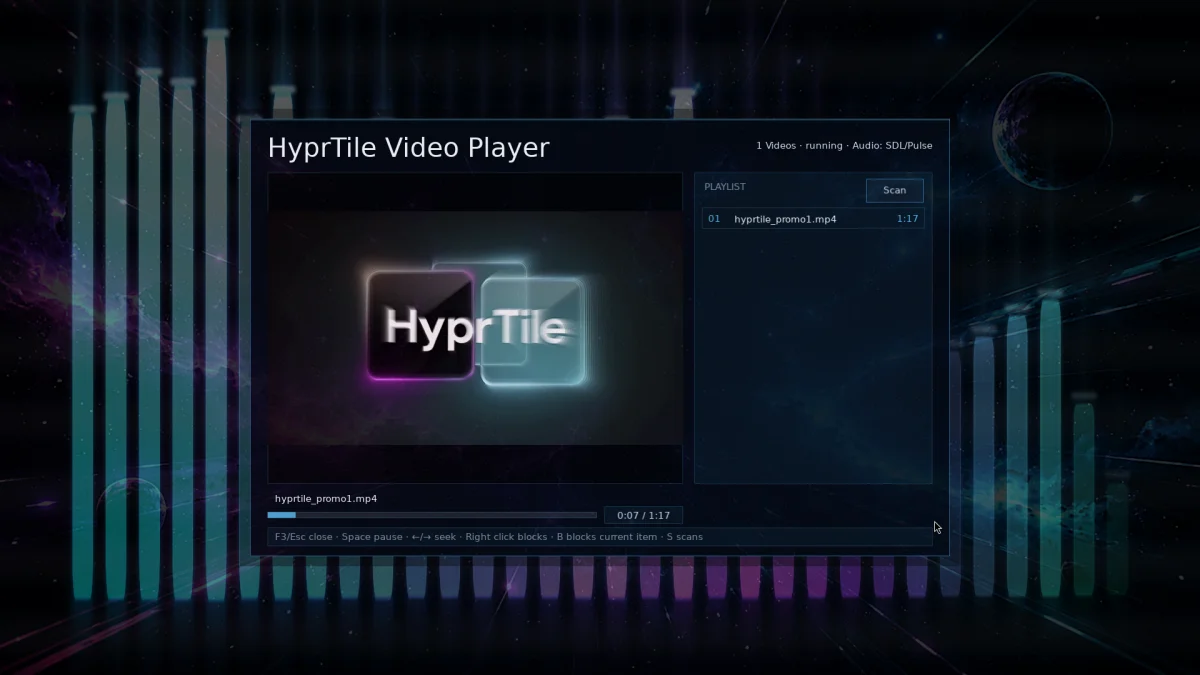
Press F3 to open the integrated video player and media browser.
Scan your video collection, start playback, seek through videos, jump between files and switch to fullscreen playback without leaving HyprTile.
10 — F4: Desktop Audio Recorder
Record what your computer is playing.
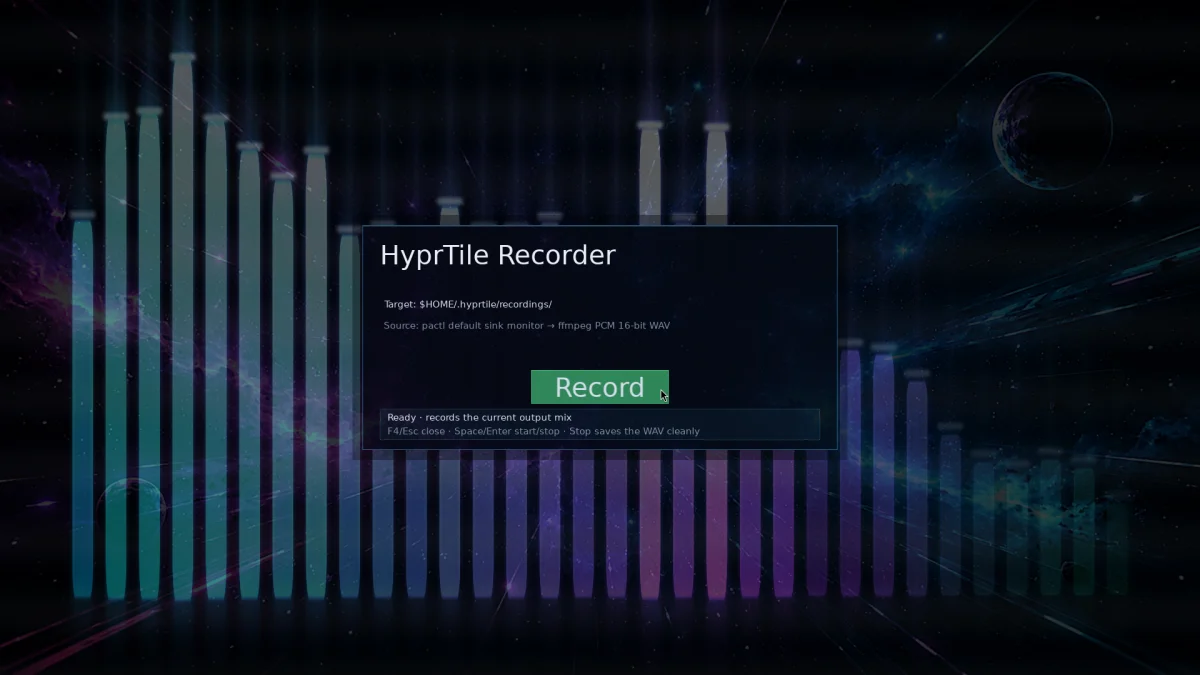
Press F4 to open the audio recorder.
HyprTile can capture the current desktop audio mix through PipeWire/PulseAudio and save it as a WAV recording.
Start recording. Stop recording. Done.
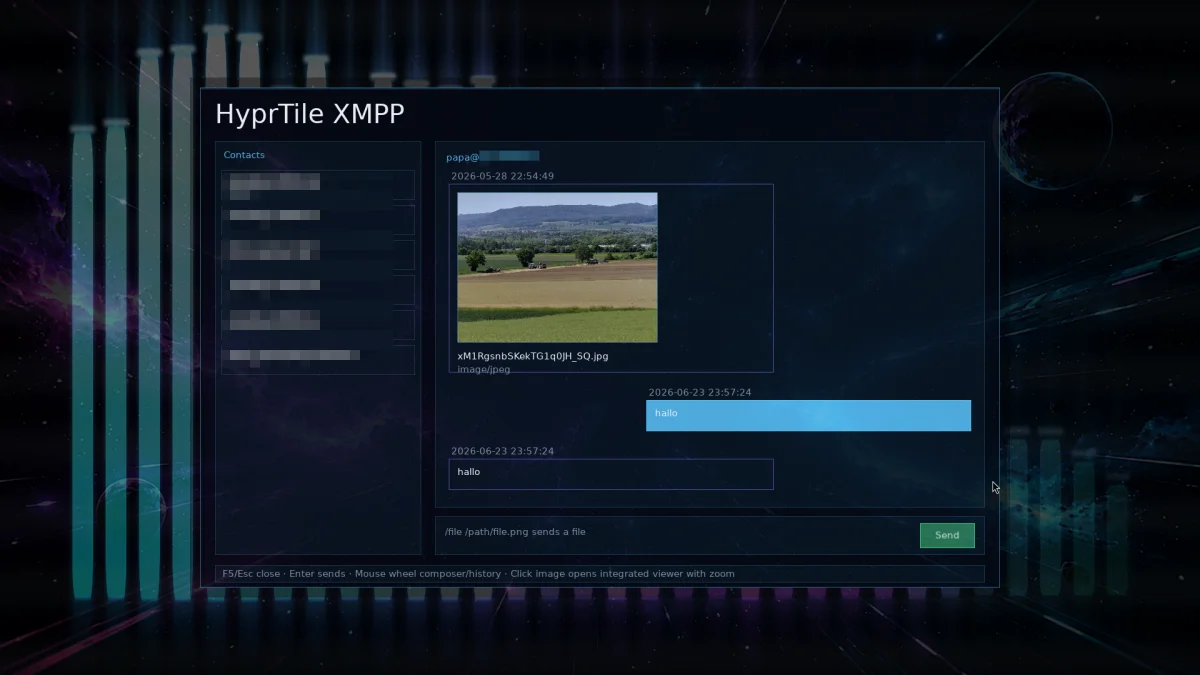
11 — F5: XMPP
Messaging built into the command center.
Press F5 to open HyprTile's integrated XMPP interface.
Manage an XMPP account, browse contacts and conversations and send messages without opening a separate messaging application.
The underlying HyprTile XMPP client supports encrypted TLS connections as well as modern XMPP functionality including message archive synchronization.
12 — F6: Notes
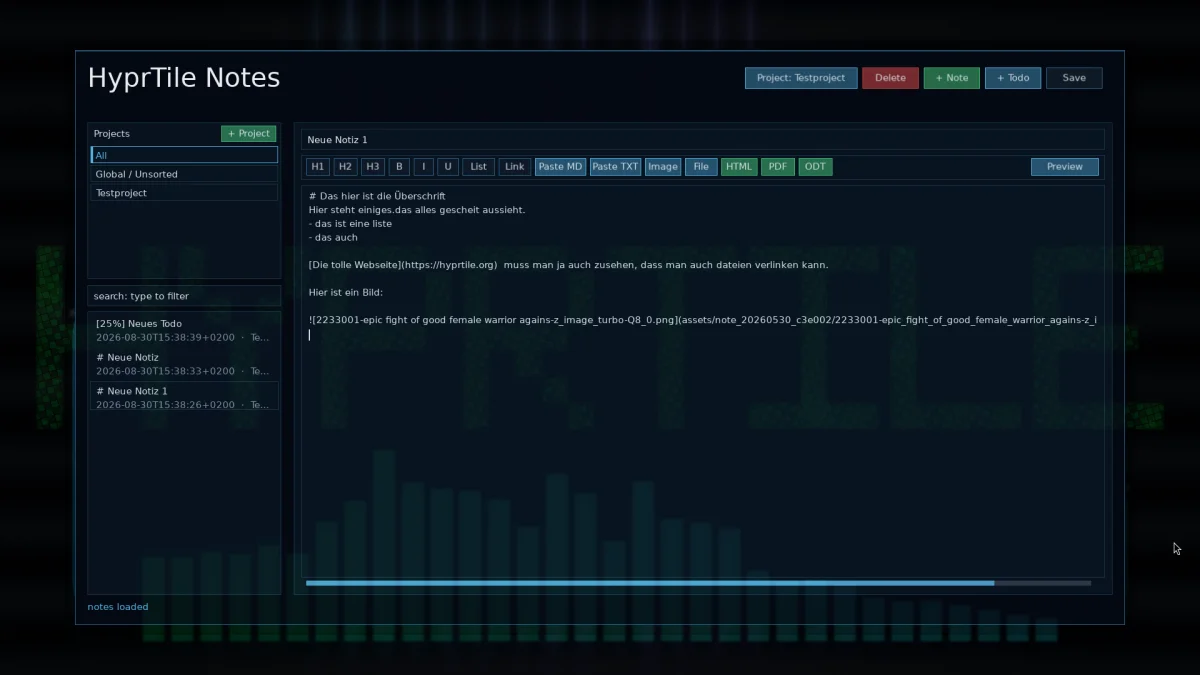
A Markdown workspace one key away.
Press F6 and HyprTile becomes a notes application.
Create and edit Markdown documents using the integrated editor, switch between editing and formatted preview, search your notes and keep small pieces of information close to your launcher.
Notes can also be exported into formats including:
HTML · PDF · ODT · DOCX
No separate notes application has to be running in the background.
13 — F7: Password Safe
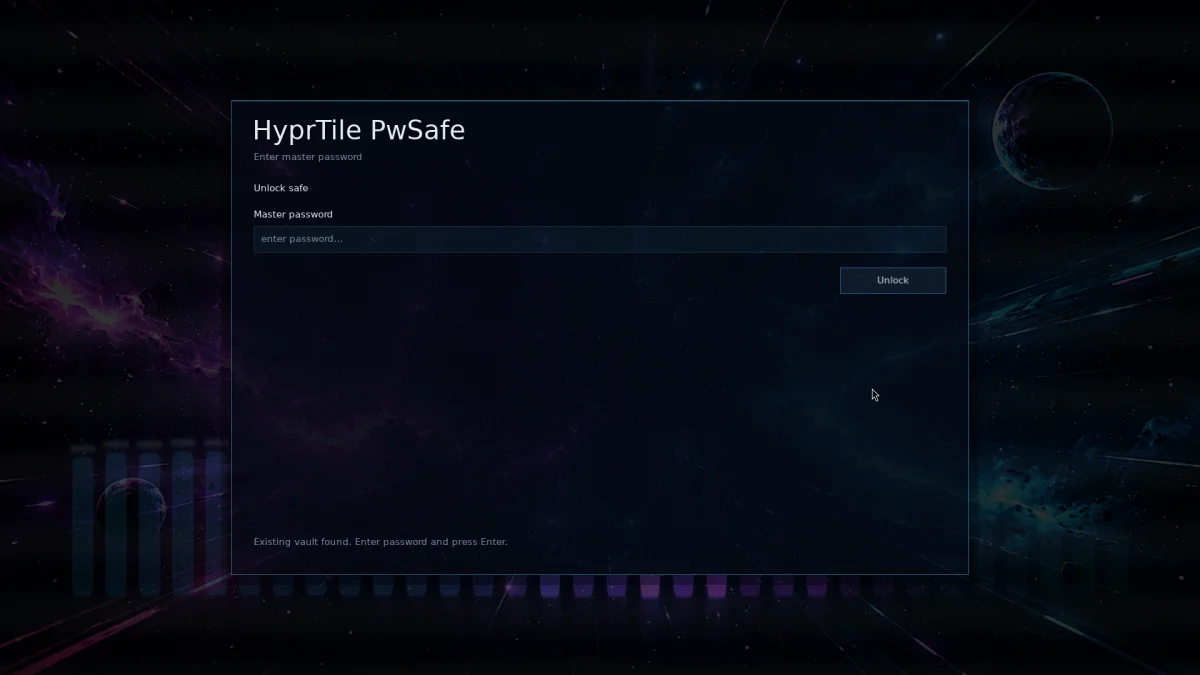
An encrypted local vault.
Press F7 to open the HyprTile Password Safe.
Passwords and other entries are stored inside a local encrypted vault protected by a master password.
The vault uses XChaCha20-Poly1305 authenticated encryption via libsodium.
Create, edit and delete entries, copy values to the clipboard and attach files to vault entries.
Your vault remains a local file under your HyprTile user directory.
14 — F8: AI
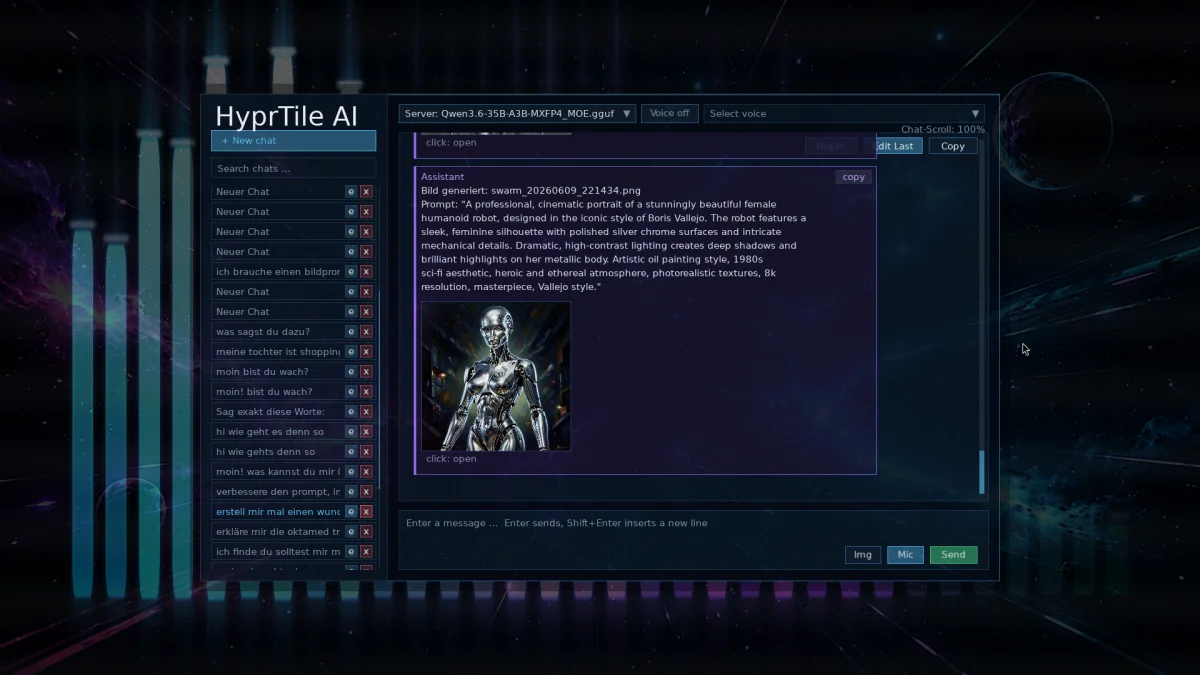
Your own AI endpoint. Inside HyprTile.
Press F8 to open the integrated AI interface.
HyprTile can connect to configurable OpenAI-compatible AI servers, making it possible to use local models through software such as llama.cpp, machines on your LAN or compatible remote backends.
The AI interface includes persistent chats, multiple server configurations and normal conversation management.
Integrated Speech-to-Text can place spoken input directly into the conversation, while Text-to-Speech can read responses back to you.
The AI infrastructure is intentionally backend-independent.
Your interface does not dictate where your model has to run.
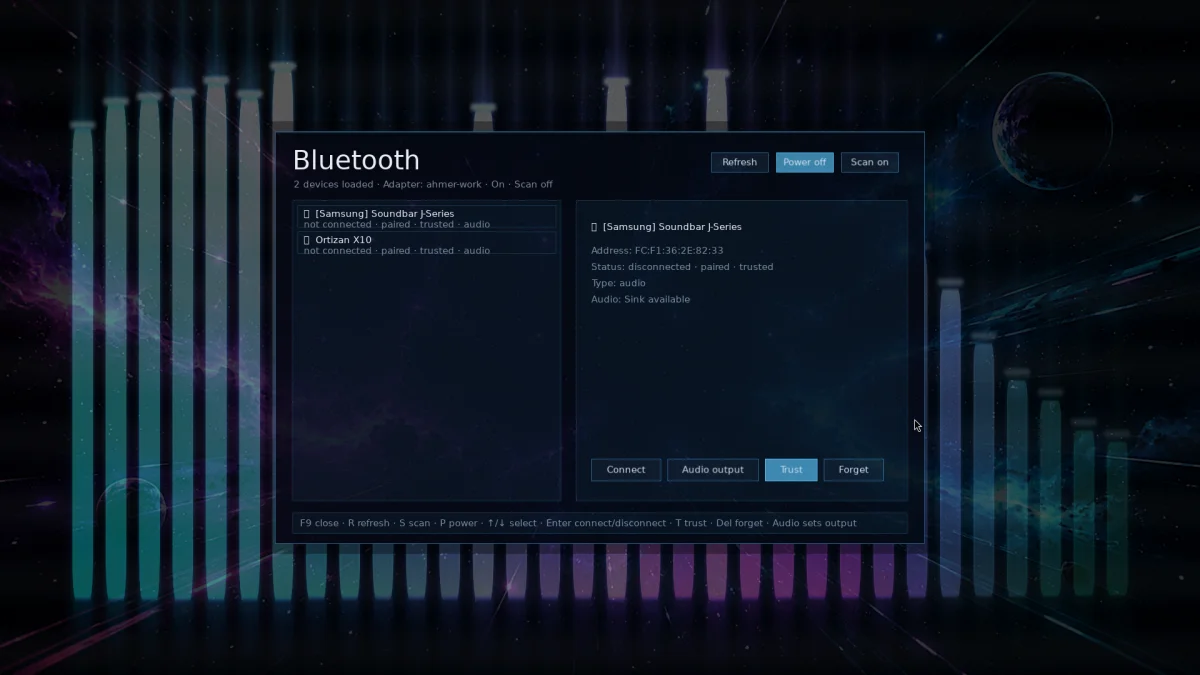
15 — F9: Bluetooth
Bluetooth without opening another settings application.
Press F9 to open the Bluetooth manager.
Discover nearby devices, refresh the device list, connect, disconnect and trust devices directly from HyprTile.
16 — F10: Remote Share
Put a Hyprland window into a browser.
This is where things get interesting.
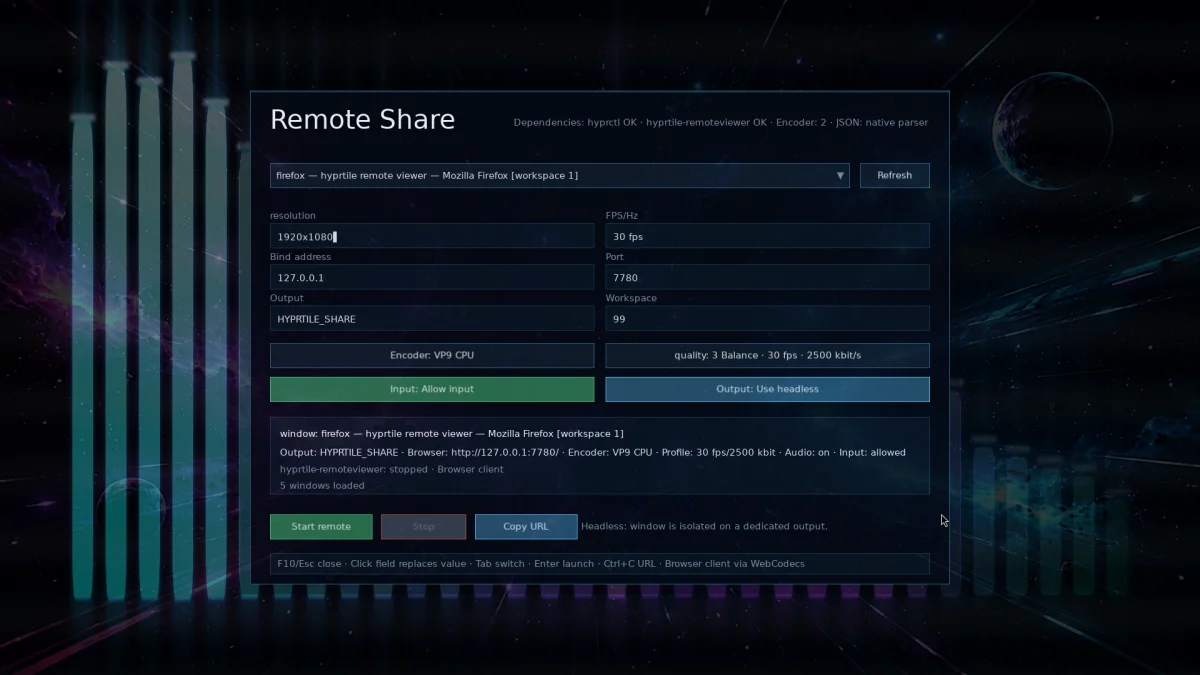
Press F10, select a running Hyprland window and start a remote sharing session.
HyprTile can prepare a dedicated virtual/headless output, move the selected window there and stream that output through hyprtile-remoteviewer.
The viewer runs directly inside a modern web browser.
Configure resolution, frame rate, bitrate and encoder, then choose between view-only access or remote input.
The original window can be returned to its previous workspace when the session ends.
No complete desktop needs to be exposed just because you want to share one application.
As many of HyprTile tools, this can be run separately from command line, too. You can use it as a replacement for VNC or RDP, as it streams video and your input via a browser using websockets, for example.
17 — F11: Hyprland Control Center
Configure Hyprland without losing what makes Hyprland powerful.
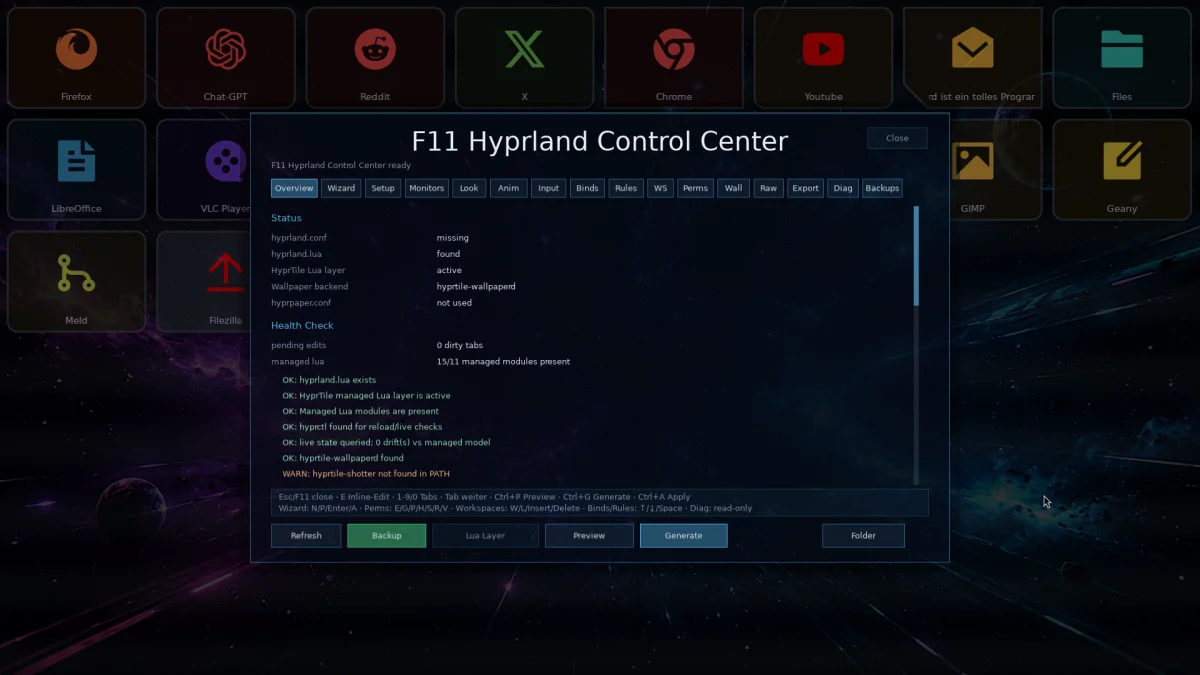
Press F11 to open the Hyprland Control Center.
Instead of replacing Hyprland's configuration system, HyprTile builds on top of it.
Manage and inspect areas such as:
Monitors · Appearance · Animations · Input · Keybindings · Window Rules · Workspaces · Layer Rules · Permissions · Wallpapers
HyprTile can create structured Lua configuration modules, preview generated changes, reload the compositor, verify the resulting configuration and create backups before modifications are applied.
Legacy hyprland.conf installations can be detected and prepared for migration into the managed configuration layer.
There are dedicated tools for exports, diagnostics, presets, backups and restores.
You still have real configuration files.
You still have full control.
You just don't have to remember every option whenever you want to change something.
18 — F12: Calculator
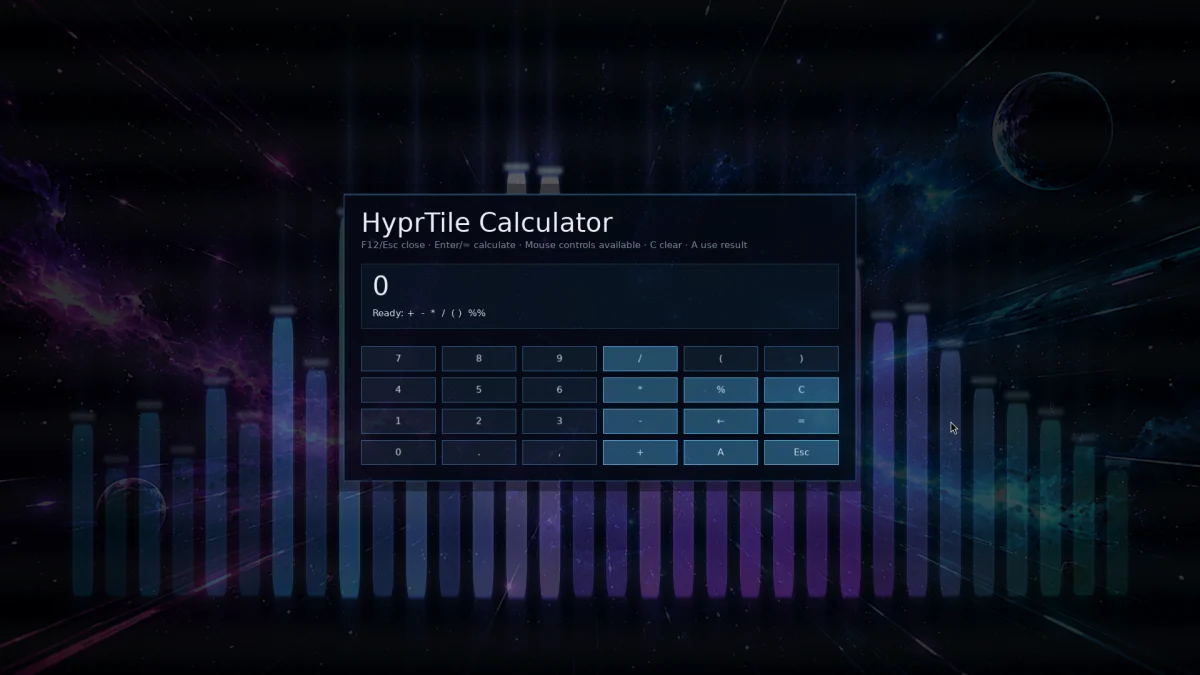
Because sometimes you just need a calculator.
Press F12.
There it is.
No application search required.
Native screenshot tools
Screenshots without grim, slurp or a desktop portal.
HyprTile includes its own Wayland screenshot utility.
hyprtile-shotter communicates directly with the Wayland screencopy protocol and can capture the focused monitor or an interactively selected region.
It supports delayed screenshots and optional cursor capture and saves directly to PNG.
The selection interface itself uses Wayland Layer Shell.
Wayland-native. Hyprland-focused. Minimal dependencies between you and the screenshot.
Native screen recording
Record your Hyprland session.
hyprtile-screener records the currently focused monitor or a manually selected region and writes the result to a video.
Configure frame rate, duration, delay and cursor visibility.
System audio can optionally be captured directly from the current PipeWire/PulseAudio output monitor.
It can also be connected to a Hyprland keybinding and used as a simple start/stop recording tool.
Built for keyboard and mouse
HyprTile is designed so that neither input method feels like an afterthought.
Navigate tiles using the arrow keys. Launch with Enter. Jump directly between launcher pages using number keys. Type to search.
Or use the mouse for normal launcher interaction, editing, drag-and-drop and overlay controls.
Animations clearly show the currently selected tile without sacrificing sharp text rendering.
Placeholder tiles are automatically skipped during keyboard navigation.
Multi-page and large launcher layouts
Your launcher does not stop when the visible grid is full.
Pages can contain more tiles than fit on screen. HyprTile automatically calculates the additional rows and lets you scroll through them using the mouse wheel while keeping keyboard navigation synchronized with the visible area.
Multiple independent launcher pages let you separate applications by workflow, category or purpose.
Work. Media. Development. Games. Administration.
Or don't categorize anything.
It's your launcher.
Child Lock / Kiosk Mode
HyprTile can also run with a password-protected launcher mode.
When Child Lock is enabled, the launcher stays locked until the correct password is entered.
This can be useful for shared systems, media machines, living-room PCs or setups where the HyprTile interface should remain accessible without exposing every application or desktop function.
English and German
HyprTile includes an internal internationalization system instead of hardcoding one language into the interface.
The current UI ships with:
English · German
Dates and other locale-sensitive interface elements follow the selected language as well.
The translation structure is designed so additional languages can be added through language files.
Configuration without mystery
HyprTile keeps its main launcher configuration in a readable config.json.
That includes the grid layout, launcher pages, tiles, colors, fonts, backgrounds, visual effects, wallpapers and many other interface options.
Background plugins can also have their own configuration files for deeper customization.
There is no hidden cloud configuration and no account required just to configure your launcher.
Built for Hyprland
HyprTile is not trying to become another compositor or another desktop environment. It tries a new paradigma with distractionless working while having aesthetics if you want. I don't care about toolkits anymore as I now do everything I need for HyprTile now myself. This system does never try to get into your way.
It is designed around Hyprland, Wayland and the workflows that make them interesting.
That means it can take advantage of Hyprland IPC, Wayland Layer Shell, wlroots screencopy protocols, headless outputs, workspaces and window rules instead of pretending the compositor underneath does not exist.
If you enjoy building your own Linux desktop, HyprTile gives you another piece to build with. You do NOT have to use all features. Just use the ones you like.
Source first
Download it. Build it. Change it.
HyprTile is open source and licensed under the GNU General Public License v3 or later — GPL-3.0-or-later.
The source code is available so you can inspect what runs on your machine, modify it for your own setup or build your own version.
HyprTile itself does not need root privileges to run.
A user-local installation can keep the application and its configuration inside your own account, while required system libraries can continue to come from your Linux distribution.
Why HyprTile?
Because opening Firefox does not require all of this.
But it can have all of this.
HyprTile is for people who look at a blank Hyprland installation and think:
“I wonder what else I can make this desktop do.”
HyprTile
The application launcher that got slightly out of control.
**Built for Hyprland. Built for Wayland. Built to be modified.**
Changelog
2026-09-14
HyprTile v30 – Major Changes since v20
HyprTile v30 is a major step forward compared to v20, with large improvements across visual effects, wallpaper rendering, AI/voice, system tools, and usability.
Advanced F11 Shader & Look Editor
The wallpaper pipeline now supports per-stage enable/disable, opacity, blend modes, editable shader parameters, gradients, image layers, and complete .hyprlook import/export.
Massively Expanded Wallpaperd Effects
New shader packs include Bloom, Gamma, Posterize, Pixelize, Invert, Equalizer, Oscilloscope, Starfield and other audio-reactive effects.
New REAL3D Text Rendering System
True extruded 3D glyphs with lighting, bevels, depth, materials, textures and animation. Includes presets for metal, glass, stone, wood, carbon, marble and more.
Animated Song Titles & Dynamic Text
Text shaders can automatically display currently playing music from the F2 player, radio streams, Spotify, YouTube and other MPRIS applications. Marquee, bounce, paginated scrolling, zoom and sinus-based text animation are supported.
Improved Kawase Background Blur
kawase:hyprstrong now supports configurable blur strength and darkness, better fullscreen handling and significantly reduced rendering overhead.
New Disk Usage Browser
The System HUD now includes an interactive disk-space browser with directory sizes, filesystem usage and navigation. Disk scanning is fully lazy and only starts when requested.
Major HyprTile AI Voice Upgrade
F8 now includes improved speech-to-text with live partial transcription, adaptive VAD, continuous listening and automatic silence detection.
Streaming TTS & CosyVoice Support
AI responses can be spoken while they are still being generated. A new hyprtile-voice daemon handles low-latency STT/TTS, and CosyVoice3 can be used as a self-hosted voice backend.
Improved F2 Audio Player
The built-in audio player now has its own persistent volume control independent of system volume.
PwSafe Improvements
The password vault editor now includes proper cursor movement, selection, clipboard support and a scrollable multiline notes editor.
Better Internationalization
Translation coverage has been expanded across HyprTile, including F11, PwSafe and the Tile Editor. Spanish, French and Portuguese language files have also been added.
Cleaner Startup & Lazy Loading
Heavy components such as disk scanning and voice services no longer start unnecessarily. Profiling now measures only components actually required during application startup.
Overall, v30 turns HyprTile into much more than an application launcher: it now combines a highly configurable visual compositor, advanced wallpaper and shader engine, audio-reactive effects, AI voice interaction and additional desktop utilities in one integrated environment.
2026-09-01
HyprTile Notes expanded with projects, moving notes/todos, and session restoration. MASSIVE UPDATE! YES!
Gamepad support added for tile-grid navigation, launching apps, and switching pages. WOW!
Connectivity overlay expanded with Wi-Fi, WPS, Ethernet, and network enable/disable controls
HyprTile Wallpaperd greatly improved with shader dashboard, wallpaper previews, new shader/pack features, and better instance handling
Build and release system improved with centralized build-bin/ and safer cleanup logic
Installer updated for the new directory structure and wallpaper shader pathsNumerous
UI improvements, bug fixes, compiler warning fixes, and stability improvements
2026-08-15
Major rewrite in C
HyprTile has undergone a comprehensive rewrite in C, replacing the previous Qt / HTML-based implementation.
This new version is massively expanded in both scope and capability, with significantly improved performance, reduced overhead and a much stronger focus on native Linux and Wayland integration.
HyprTile has evolved far beyond a traditional application launcher and is now approaching a small desktop environment layer built around Hyprland without standing in your way and only running while actively shown.
Community feedback turned into real improvements
Feedback and criticism from Reddit users and the wider Linux community were taken seriously and incorporated into the redesign.
The new architecture follows established Linux standards, conventions and expected behavior much more closely than previous versions, making HyprTile feel more natural inside a modern Linux system.
Reduced dependencies
The rewrite significantly reduces unnecessary dependencies and replaces several external tools with native HyprTile components while adding some other, but useful dependencies.
Native screenshot and screen recording
HyprTile now includes its own Wayland-native screenshot and screen recording tools.
Screenshots and recordings can be created directly from the HyprTile ecosystem without relying on a separate collection of external utilities.
Integrated XMPP client
A native XMPP client is now built directly into HyprTile, providing messaging and contact functionality from within the interface.
Window streaming and remote access
HyprTile can now stream selected Hyprland windows and provide browser-based remote viewing capabilities.
This makes it possible to share individual applications instead of exposing an entire desktop session.
Integrated music and video players
Music and video playback are now first-class parts of HyprTile.
Browse and play local media directly from the interface while continuing to use HyprTile's visual backgrounds and other integrated tools.
Highly configurable tiles
Launcher tiles are now much more flexible and customizable.
Layouts, colors, shapes, icons, images, borders, hover behavior and other visual properties can be adjusted to build completely individual launcher setups.
Integrated audio recorder
Desktop audio can now be recorded directly from HyprTile using the integrated audio recorder.
AI capabilities
HyprTile now includes an integrated AI interface with support for configurable OpenAI-compatible endpoints.
This allows local AI models, LAN-based inference servers and compatible remote backends to be used directly from the HyprTile interface.
Bluetooth management
Bluetooth devices can now be discovered, connected, disconnected and managed directly from HyprTile.
Deeper Hyprland integration
Hyprland integration has been significantly expanded.
The new configuration system uses Lua-based configuration modules and provides better tooling for managing monitors, input, animations, keybindings, window rules, workspaces and other compositor settings.
And yes — a calculator
HyprTile now includes a built-in calculator as well.
Because at this point, why not?
2025-12-21
Screen recording with system audio
System audio can now be embedded directly into screen recordings for reliable, production-ready captures without additional post-processing.
Calendar & event system stabilized
Calendar events now work consistently and reliably across the interface.
Massively expanded gamepad support
Support for 2,000+ controllers, including proper hat switch support.
Plugin system production-ready
Plugins can now define their own key bindings and inject custom:
- logic
- CSS
- JavaScript
- C++
This makes it possible to extend HyprTile far beyond its built-in functionality.
2025-12-18
Database-backed song & video search
Music and video searches now use a database backend, resulting in faster searches and eliminating unnecessary file clutter in the home directory.
Instant MP3 quick-play
MP3 files can now be previewed instantly — perfect for quickly checking tracks without opening the full player.
Improved screenshot & screen recording UX
More reliable file paths, improved handling and faster direct access to captured screenshots and recordings.
Starfield background animation fixed
The Starfield OpenGL background animation now renders and behaves correctly.
Website monitoring decoupled from the main UI
Monitoring tasks now run independently from the main interface, preventing UI stuttering and keeping HyprTile responsive.
2025-12-01
Configurable file manager
HyprTile can now use a configurable file manager instead of depending on a hardcoded application.
Responsive UI & freely rearrangeable tiles
Tiles can be rearranged freely while the interface adapts dynamically to the available layout.
Unified input handling
Keyboard, gamepad and plugin input are now handled through a unified system, preventing conflicts between different input sources.
2025-11-17
First public release of HyprTile
The first public version of HyprTile was released.
Download Source Code for HyprTile
Installation: (for now, as I hate AUR at the moment and it won't be easy to get into arch main tree)
# install dependencies:
pacman -Sy
pacman -S base-devel zip libvpx wayland openssl libxkbcommon sdl3 sdl3_image sdl3_ttf upx ffmpeg noto-fonts noto-fonts-emoji wlr-protocols wayland-protocols libxmp opus opus-tools libsidplayfp
# download sourcecode, then:
check md5sum hyprtile-v0.30.zip (should be exactly 218b47a9b279f2ec788ec8fb5a407561)
unzip hyprtile-v0.30.zip
cd hyprtile
# 1a) build everything:
make release
# 1b) or build everything optimized (optional, makes smaller binaries):
make release-upx
# 2) Install
sudo ./install.sh
This effecively just copies the built binaries to /usr/local/bin/ and the icons to /usr/local/share/hyprtile/icons/.
# 3) start hyprtile
hyprtile
It is recommended to add hyprtile to a key in hyprland config.
Mine is set like so:
hl.bind("SUPER + ALT_L", hl.dsp.exec_cmd("/usr/local/bin/hyprtile"))
# set hyprtile to english language:
edit .hyprtile/config.json and set value of "lang" to "en"
# bind a key to run hyprtile in hyprland config
# then simply press the key to toggle the launcher screen and push F1-F12 for showing the relevant submodules
# Need a background / wallpaper?
If you do NOT like vaxrys anime wallpapers, you can set your own. To set a background, just edit .hyprtile/config.json:
"wallpaper": 1,
"wallpaper_file": "/home/youruser/pathtoyourimage",
"wallpaper_mode": "cover",
"wallpaper_backend": "auto",
This lets the inbuilt hyprtile-wallpaperd use your background image for the hyprland background, when hyprtile loads the first time.
An alternative would be just to set an autostart command like: hyprtile-wallpaperd --image yourwallpaper.png but that would work against the config.json file. You have options :-)
By the way: I have some ready to use wallpapers for you, just follow this link.
# Found a bug or have a nice idea for a feature?
Just send me an email. Or write a comment below in the comment section.

Comments
3 commentsComments are reviewed manually before publication. HTML is not accepted.
However, I have a small issue with note-taking; I had to change the name of the binary used by the `notes_read_command` function in the `overlay_notes.c` file (line 161). It said "hyprtile-notes/hyprtile-notes," so I replaced it with "hypertile-notes." I compiled version 0.16 and am running Ubuntu 26.04. Maybe this wasn’t intended, or maybe it was—I just wanted to let you know.
Thanks again.